
How to Download the Gazette Name Change Copy in Uttarakhand
How to get your published Gazette as a PDF, which pages to print, what the signature message means and how to find a copy years later.
To download a gazette name change copy, open egazette.gov.in, choose the weekly Gazette and Part IV, pick the issue with your publication date and open the PDF. Find your notice, save the file and print the first page and your page. The download is free. A state notice is on gazettes.uk.gov.in.
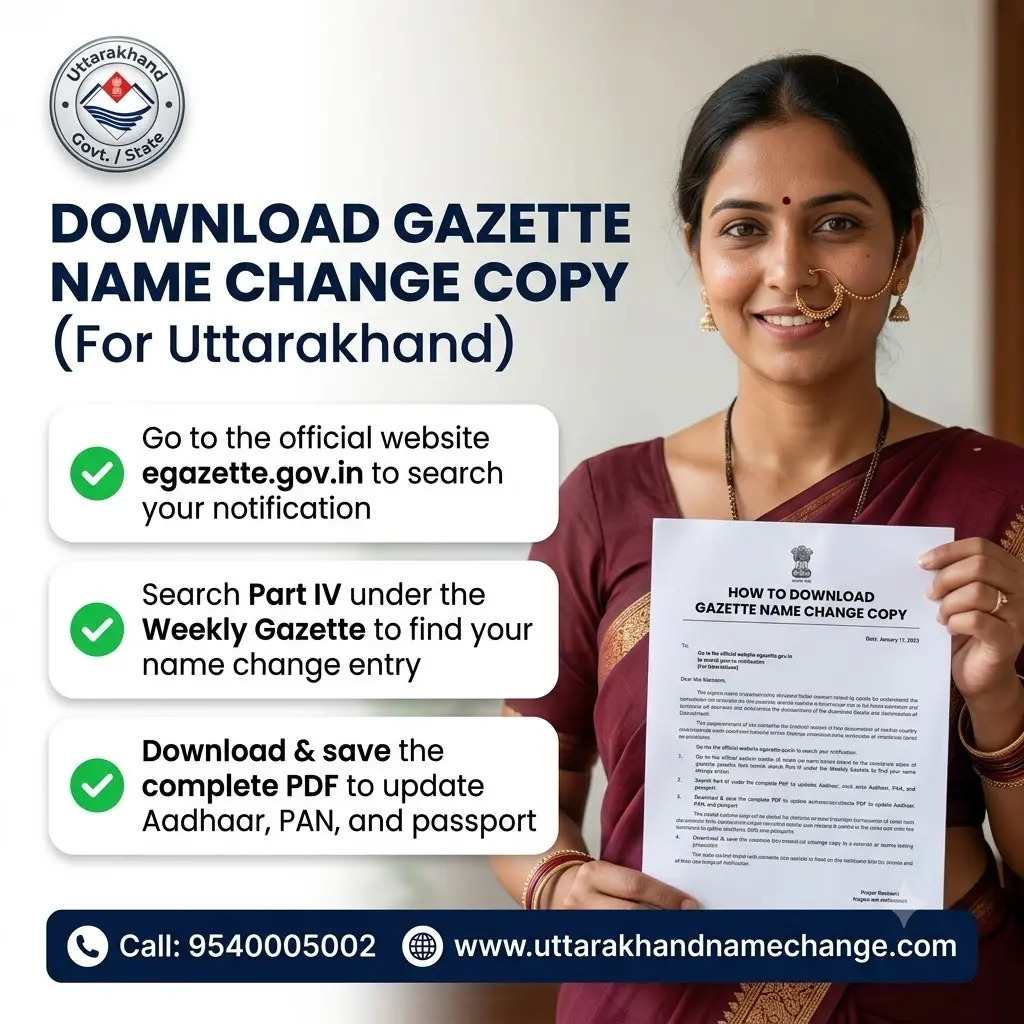
Your gazette name change copy is not posted to your home, and it is not handed over at a counter. You download it yourself. This page shows how to download the gazette name change copy from the Government portal, which pages to print, how to answer an office that doubts a printout and how to find the copy again years later.
This page is for a notice that is already published. If you are still waiting, read how to check gazette name change status first. For the whole Gazette step, see gazette name change in Uttarakhand.
What Is the Gazette Name Change Copy?
When your name change is published, your notice is printed as a few lines inside one issue of the Gazette. That issue is put on the Government's portal as a PDF. The "Gazette copy" that offices ask for is that PDF, or a printout of the pages that matter.
- There is no separate certificate with your photograph.
- There is no card and no letter in your name.
- The issue contains many people's notices. Yours is one of them.
- The same PDF is there for anyone to open, which is what makes it public proof.
For the Gazette of India, the portal is egazette.gov.in. For the Uttarakhand Gazette, it is gazettes.uk.gov.in. Both are free.
What Do You Need Before You Download?
| Detail | Why it helps | Where you get it |
|---|---|---|
| Date of the issue | The portal lists issues by date | From your weekly check, or from whoever filed for you |
| The part | Name changes are in Part IV of the Gazette of India | It is the same for every private name change |
| Page number | It takes you straight to your notice | Noted when the notice was first found |
| Gazette ID | Each issue carries its own ID on the first page | From the first page of the PDF |
| Your old and new name | To search inside the PDF | From your form |
If you know the date, the download takes a few minutes. If you do not, it can still be found. The section on lost copies below explains how.
How Do You Download the Central Gazette Copy, Step by Step?
The portal changes its screens from time to time, so a label may differ a little. The order stays the same.
Step 1: Open egazette.gov.in
Type the address yourself. No login or registration is needed to read a Gazette.
Step 2: Go to the search for published Gazettes
Choose the weekly Gazette as the type.
Step 3: Select Part IV
Name change notices of private persons are in Part IV.
Step 4: Enter the date of your issue
Give the publication date, or a short date range around it, and search.
Step 5: Open the PDF of that issue
If the issue is listed in more than one file, open each one.
Step 6: Find your notice
Go to your page number, or use the find option and search your surname. Match the father's name and the address.
Step 7: Save the whole PDF
Download the complete file, not a screenshot. Rename it with your name and the date, and send a copy to your own email.
Which Pages of the Gazette Should You Print?
An issue of Part IV can run to hundreds of pages. Nobody wants all of them. Print two things.
The first page of the issue
It shows the words Gazette of India, the part, the date of the issue and the Gazette ID. This page tells an office which issue your notice comes from.
The page with your notice
The full page, with the page number visible. Mark your notice lightly in the margin with a pencil or a highlighter on the printout, not in the PDF.
- Print on plain A4 paper. A clear black and white print is readable. A colour print is not a rule.
- Print three or four sets. Aadhaar, the bank, the passport office and your employer may each keep one.
- Self-attest a set when an office asks, by signing on it and writing the date.
- Do not crop the notice out of the page. A cut-out with no page number or date is as weak as a newspaper cutting.
Is a Downloaded Gazette Copy Valid?
Yes. The Gazette of India is published electronically on the e-Gazette portal, and the Government moved to electronic publication in 2015. The PDF on the portal is the official Gazette. A printout of it is what offices across India accept.
A Gazette also does not expire. A notice published this year is valid for life, and the same PDF can be downloaded again at any time.
If an office doubts your printout
- Show the first page with the date and the Gazette ID.
- Ask the officer to open egazette.gov.in and look up the same issue.
- Offer the PDF by email, so they can open the file themselves.
- If they still refuse, ask for the refusal and the reason in writing, and ask what else they need.
Most doubts end at step 2. The portal is the Government's own, and an officer can check a notice on it in a few minutes.
Why Does the PDF Say the Signature Is Not Verified?
Gazette PDFs from the portal are digitally signed. When you open one, your PDF reader may show a message such as "signature validity unknown", sometimes with a yellow mark. People take this to mean the Gazette is fake. It does not.
- The message is about your PDF reader. It has not yet been told to trust the signing certificate.
- It says nothing against the notice or your name change.
- The same file shows the same message on most computers when first opened.
What to do
You do not have to do anything for the copy to be valid. If an office raises it, point them to the portal, where the same file can be downloaded by them. That is a stronger check than any tick mark in a PDF reader.
Can You Download the Gazette Copy on a Phone?
Yes, but it is easier on a computer. A weekly Part IV file is large, and a phone on a weak network may stop halfway.
- Use Wi-Fi or a steady network. In the hills, download from the town where the signal holds.
- Make sure the phone has free storage before you start.
- Open the file in a PDF app that has a find option.
- If the file will not open, try again on a computer, or at a Common Service Centre or a cyber cafe.
If you use a cyber cafe, ask them to email the PDF to you before you leave, and check that it has arrived. Do not leave your only copy on a shop's computer.
How Do You Find a Lost Copy or an Old Gazette?
A lost printout is not a problem. The Gazette stays on the portal. What you need is the issue.
If you know the date or the Gazette ID
Search the portal with it and download the file again. It is the same PDF as before.
If you do not know the date
- Look for anything from that time: the Speed Post receipt, the BharatKosh receipt, old emails or messages from whoever filed for you.
- Work out the month the file was sent. The notice is usually four to seven weeks after that.
- Open the Part IV issues for those weeks, one by one.
- Search each for your surname and your town.
- When you find it, write the date, the page number and the Gazette ID somewhere you will not lose them.
If your name change was long ago
Older issues may not all be on the portal in the same way. If you cannot find an old issue, write to the Department of Publication with your name, your address at that time and the year, and ask how to get a copy. Take the current contact from deptpub.gov.in.
A typical case we handle: a man from Almora changed his name some years ago and kept only one printout, which was lost when the family moved house. He remembered the month but not the date. We went through that season's Part IV issues by his surname and village, found the notice in the third file, and he downloaded it again that evening. This is an illustrative example of the type of case we handle, not a named client review.
How Do You Download the Uttarakhand Gazette Copy?
If your notice was printed by the Government Press at Roorkee, it is not on the Central portal. Use the state portal.
Step 1: Open gazettes.uk.gov.in
This is the State Government's portal for published gazettes.
Step 2: Choose the series and the dates
The state publishes a Daily and a Weekly series. Choose the one the press told you, and the date of the issue.
Step 3: Narrow by category or Bhag
Use the Name-Change category, or the Bhag number, to shorten the list.
Step 4: Open the PDF and find your notice
Match your name, your father's or husband's name and your address.
Step 5: Save the file and note the details
Download the PDF and write down the Bhag, the date and the page number.
Print the first page of the issue and your page, as for the Central Gazette. If an office outside the state questions a state Gazette, read Uttarakhand Gazette vs Gazette of India for what can be done.
Where Will You Use the Gazette Copy?
The Gazette is supporting proof. It does not change any record by itself. You apply to each office, one at a time, and show the copy there.
| Order | Record | Take with the Gazette copy |
|---|---|---|
| 1 | Aadhaar | The affidavit and the newspaper page |
| 2 | PAN | The updated Aadhaar |
| 3 | Bank accounts | The updated Aadhaar and PAN |
| 4 | Passport | The papers Passport Seva lists for a change of name |
| 5 | Voter ID, driving licence, employer and school records | The updated identity papers |
Keep the affidavit, one full newspaper page and a Gazette printout together in one folder for life. Offices ask for the three as a set, sometimes many years later.
Should You Pay for a Gazette Copy, and How Do You Spot a Fake?
What is free
- Searching the portal
- Opening and downloading the PDF
- Downloading it again, any number of times
- Checking another person's Gazette
Signs of a fake copy
- No date of issue or no page number
- A single loose page with only one person's notice on it
- The issue cannot be found on the portal for that date
- The wording on the portal differs from the copy you were given
The only cost you may meet is printing, or a small charge at a cyber cafe for its time. Nobody should charge you for the Gazette itself.
If you were given a copy by someone else, check it once on the portal before you submit it anywhere. Submitting a false Gazette to a passport office or a bank is a serious matter, even when you were the one cheated.
Which Mistakes Do People Make With the Gazette Copy?
| Mistake | How to avoid it |
|---|---|
| Saving a screenshot, not the PDF | Download the complete file |
| Printing only the notice, cropped | Print the first page and the full page with your notice |
| Not noting the date and page number | Write them on your folder the day you download |
| Keeping the PDF only on one phone | Email it to yourself and keep a second copy |
| Editing the PDF | Keep the file exactly as downloaded |
| Not reading the notice after download | Check every word against your form the same day |
| Looking for a state notice on the Central portal | Use gazettes.uk.gov.in for the Uttarakhand Gazette |
| Handing over your last printout | Print several sets and keep one |
Read your notice the day you download it. If a name or the address is printed wrongly, the fix is a corrigendum, and it must be applied for within six months of publication.
When you do not need us
Downloading the copy is free, and with this page you can do it yourself. We send the PDF to our own clients when their notice is printed. If you cannot trace an old notice, call us with the year and the name, and we will tell you where to start. Our charge, where there is work to do, is quoted per case.
Which Areas of Uttarakhand Do We Cover?
All 13 districts: Dehradun, Haridwar, Pauri Garhwal, Tehri Garhwal, Rudraprayag, Chamoli, Uttarkashi, Nainital, Udham Singh Nagar, Almora, Bageshwar, Champawat and Pithoragarh. The portal is the same wherever you open it.
People Also Ask About the Gazette Copy
How can I download my name change gazette?
From egazette.gov.in, under the weekly Gazette, Part IV, for the date your notice was published. It is free.
Is the e-Gazette copy valid as proof?
Yes. The Gazette of India is published electronically, and a printout of the PDF from the portal is accepted as the Gazette.
Will I get a hard copy of the gazette by post?
Do not wait for one. You download and print the copy yourself.
How do I get an old gazette notification?
Search the portal by the date or Gazette ID. For an old issue that you cannot find, write to the Department of Publication.
Is there a gazette certificate for name change?
No. The published page with your notice is the proof. There is no separate certificate.
Where can I download the Uttarakhand Gazette?
From gazettes.uk.gov.in, the State Government's portal for published gazettes.
Can anyone else download my gazette?
Yes. A published Gazette is a public document, so an office or anyone else can open the same issue on the portal.
What is the Gazette ID?
It is the identifier printed on the first page of each issue. Note it, because it finds the issue again quickly.
Does the downloaded gazette need certification?
No. The copy downloaded from the portal needs no certification from the Department.
Why can't I find my notice on the portal?
It may not be printed yet, or you may be looking in the wrong week or the wrong portal. Check the status page and the dates again.
Can I send the gazette PDF on WhatsApp or email?
Yes, offices often accept it that way. Keep the original downloaded file safe and unedited.
How many copies of the gazette should I print?
Three or four sets, each with the first page of the issue and your page, because offices may keep one each.
Cannot Find Your Gazette Copy? Ask Us Where to Look
Tell us your old name, new name and the year or month the file was sent. We will tell you where to start and what to check, before you pay anything.
- 📞Call 9540005026
Mon to Sat: 9 AM to 6 PM - WhatsApp 9540005064
Send your scans here, it is the fastest way - ✉️Info@uttarakhandnamechange.com
- 📍Dehradun District Court, 47/9, Haridwar Road, Near Prince Chowk, Court Road, Dehradun, Uttarakhand, 248001
Download Gazette Name Change Copy: Frequently Asked Questions
How do I download my gazette name change copy?
Is the gazette download free?
Do I need to log in to download the gazette?
Is a printout of the e-Gazette accepted by offices?
Which pages should I print?
Does the print have to be in colour?
Why does my gazette PDF show "signature not verified"?
I lost my gazette copy. Can I get it again?
I do not remember my gazette date. How do I find it?
How long is a gazette copy valid?
Will the Department send me a printed gazette?
Can I download the gazette on my mobile phone?
Where do I download the Uttarakhand Gazette copy?
Do I need to get the gazette copy attested?
My name is printed wrongly in the downloaded gazette. What do I do?
Do you send the gazette copy to your clients?
People also search for: gazette name change download, e gazette download name change, gazette notification copy download, how to get gazette copy online, gazette of India Part IV download, Uttarakhand gazette download PDF, gazette ID meaning, gazette copy certification, name not found in gazette, old gazette copy download, gazette PDF signature not verified, how many gazette copies to print.
Who Wrote and Reviewed This Page?
This page is written by the Documentation Desk Team of UttarakhandNameChange.com, the team that prepares Gazette files and downloads the published copies for people across Uttarakhand.
It is reviewed by Advocate Vipin Chauhan.
Both portals named here are Government sites, and their screens change from time to time, so the steps give the order and not the exact label of each button. For old issues that are not on the portal, the page points you to the Department and does not guess.
Official Sources for the Gazette Copy
- The Gazette of India, e-Gazette portalPublished Gazettes, including Part IV, free to search and download.
- Uttarakhand Gazette portalPublished state gazettes, searchable by date, category and Bhag.
- Department of Publication, Government of IndiaThe office to write to about an old issue or a corrigendum.
- Unique Identification Authority of IndiaAadhaar name update rules and accepted proofs.
- Passport Seva, Ministry of External AffairsDocuments asked for when a passport is re-issued after a change of name.
Download the Gazette Copy: The Short Version
Your Gazette copy is a PDF on a Government portal. For the Gazette of India, open egazette.gov.in, choose the weekly Gazette, Part IV and your date, and save the complete file. For the Uttarakhand Gazette, use gazettes.uk.gov.in. Print the first page of the issue and the page with your notice, in several sets.
The download is free, the copy is valid for life, and a signature message in your PDF reader does not make it fake. Note the date, the page number and the Gazette ID. If you cannot trace your notice, message us on WhatsApp 9540005064, and we will reply in working hours.
Get Your Gazette Copy and Keep It Safe
Send your name and the month of filing on WhatsApp. We tell you where your notice should be and what to print.